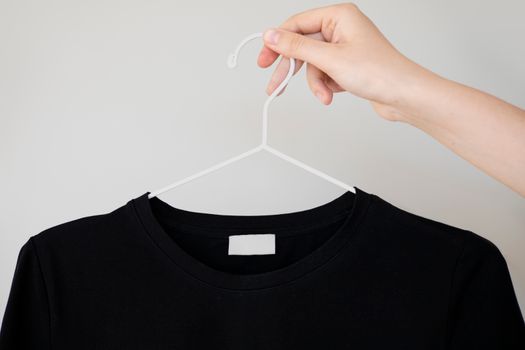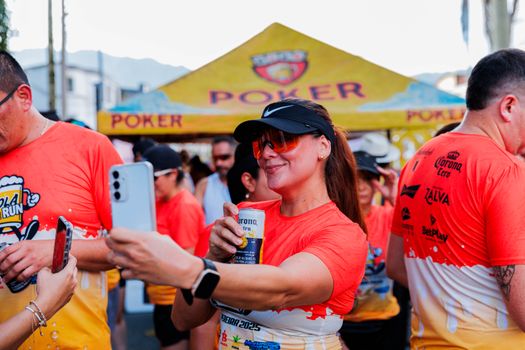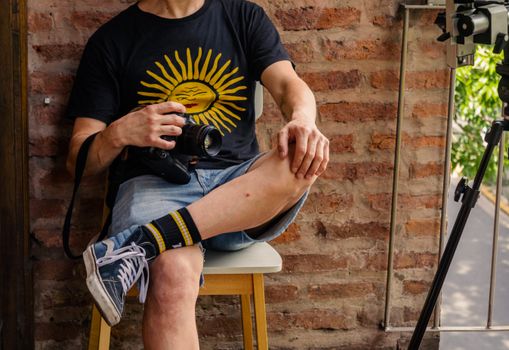
Creating a personalized t-shirt with your own photos has never been easier or more accessible. Whether you want to commemorate a special occasion, promote your brand, or simply express your creativity, custom photo t-shirts are a unique and memorable way to make a statement. Thanks to advances in digital printing and user-friendly online tools, you don’t need to be a design expert to turn your favorite memories or images into stylish apparel. This step-by-step guide will walk you through the process, from choosing the right photo to selecting the best printing method and caring for your new creation. Along the way, we'll share practical tips, important considerations, and a comparison of popular printing techniques to help you get the best results.
Why Custom Photo T-Shirts Are Trending
In recent years, the custom t-shirt market has exploded in popularity. According to Grand View Research, the global custom t-shirt printing market was valued at $4.3 billion in 2022 and is expected to grow at a compound annual growth rate (CAGR) of 9.9% from 2023 to 2030. This surge is driven by the demand for personalized fashion, one-of-a-kind gifts, and branded merchandise.
Photo t-shirts, in particular, stand out because they offer:
- Personal expression: Wear a shirt featuring your pet, family, or favorite travel memory. - Unique gifts: Custom photo shirts are thoughtful presents for birthdays, anniversaries, and reunions. - Group identity: Great for family gatherings, sports teams, or corporate events. - Marketing value: Businesses use photo t-shirts for staff uniforms, giveaways, or promotional events.The rise of easy-to-use online design platforms and affordable printing services has made it possible for anyone to create professional-looking photo t-shirts without leaving home.
Step 1: Choosing the Perfect Photo for Your T-Shirt
The photo you select will set the tone for your entire t-shirt design. Here’s how to pick the right image:
Quality matters: For best results, use a high-resolution photo. The ideal minimum is 300 DPI (dots per inch) at the size you want to print. Lower resolution images can look blurry or pixelated on fabric.
Lighting and contrast: Bright, well-lit photos with good contrast between the subject and background translate better to t-shirt printing. Avoid dark, shadowy images or those with low contrast.
Cropping and composition: Think about how your image will fit on a shirt. Square or portrait-oriented images usually work best for chest prints. Make sure the key elements of your photo aren’t too close to the edges, as some cropping may occur.
File format: Most printing companies accept JPEG, PNG, or TIFF files. PNG files are ideal if your photo has a transparent background.
Legal considerations: Only use photos you own or have permission to use, especially for commercial purposes.
Example: If you want a t-shirt with your dog’s face, choose a close-up, well-lit image with minimal background distractions. Crop it to focus on your pet’s features, and save it as a high-resolution PNG or JPEG.
Step 2: Editing and Preparing Your Image
Before uploading your photo to a t-shirt printing service, consider making a few adjustments to ensure it looks its best:
Use photo editing software: Free tools like Canva, GIMP, or Pixlr let you crop, adjust brightness and contrast, remove red-eye, and enhance colors. Advanced users might opt for Adobe Photoshop for more precise edits.
Remove backgrounds: For a cleaner, more professional look, remove the background of your image. Many online editors and t-shirt design tools offer automatic background removal.
Add effects or text: You can add fun effects, filters, borders, or personalized text (names, dates, quotes) to further customize your t-shirt.
Check print area and size: Most online platforms will show a preview of your shirt. Adjust the size and placement of your photo to fit the printable area—this is typically a rectangle measuring about 12 x 16 inches for adult shirts.
Preview in different colors: Try out your design on different t-shirt colors to see which background makes your photo pop.
Tip: Avoid small, intricate details or very subtle color gradients, as these may not print well on fabric.
Step 3: Selecting a T-Shirt and Printing Method
Choosing the right t-shirt and printing technique is crucial for both appearance and durability. Here’s what to consider:
Fabric: 100% cotton t-shirts are the most popular for photo printing because they offer vibrant color reproduction and comfort. Cotton blends (such as 50/50 cotton-polyester) are also common and may be softer or more durable.
Fit and style: Decide between unisex, women’s, or kids’ sizing, and choose from options like crew neck, v-neck, or long sleeve. Some services even offer eco-friendly or athletic performance shirts.
Printing methods: The three main techniques for photo t-shirts are Direct-to-Garment (DTG), Dye Sublimation, and Heat Transfer. Here’s a comparison:
| Printing Method | Best For | Photo Quality | Durability | Fabric Types | Typical Cost |
|---|---|---|---|---|---|
| Direct-to-Garment (DTG) | Full-color photos, small runs | High (millions of colors) | Good | 100% cotton or high-cotton blends | $12-$25/shirt |
| Dye Sublimation | Polyester shirts, all-over prints | Excellent (vivid, permanent) | Excellent | 100% polyester | $15-$30/shirt |
| Heat Transfer | Small batches, budget-friendly | Good | Moderate | Most fabrics | $10-$20/shirt |
If you want a vivid, detailed photo on a classic cotton tee, DTG printing is usually the best option. For bright, all-over prints, choose dye sublimation on polyester garments.
Step 4: Designing and Ordering Online
With your edited photo ready and your chosen shirt and printing method in mind, it’s time to bring your idea to life. Here’s how to do it using popular online platforms:
1. Pick a reputable provider: Look for positive reviews, clear pricing, and satisfaction guarantees. Popular options include Custom Ink, Printful, Teespring, and Zazzle. 2. Use the online designer: Most sites offer drag-and-drop design tools where you can upload your photo, add text, and preview your shirt in real-time. Adjust placement and scale as needed. 3. Select shirt color and size: Choose the t-shirt style, color, and sizes you need. Some sites let you order just one shirt, while others offer bulk discounts. 4. Review mockups: Carefully check digital previews from multiple angles. Ensure your photo isn’t stretched, cropped oddly, or too close to seams. 5. Place your order: Enter shipping and payment information. Many services deliver within 5-10 business days, with express options available. 6. Check for discounts: Sign up for newsletters or look for promo codes to save on your first custom t-shirt order.Example: On Custom Ink, you can upload your photo, remove the background, add a caption, and see how it looks on different shirt colors and sizes before finalizing your order.
Step 5: Caring for Your Custom Photo T-Shirt
Proper care ensures your photo t-shirt stays vibrant and lasts as long as possible. Follow these tips:
- Wash inside out: Protect the print by turning your shirt inside out before washing. - Use cold water: Hot water can cause fading or shrinkage. - Gentle cycle: Avoid harsh agitation that can damage fabric and print. - Mild detergent: Skip bleach or strong chemicals that can break down the print. - Air dry: Tumble drying may cause prints to crack or peel; air drying preserves quality. - Avoid ironing over the print: If you must iron, turn the shirt inside out or use a protective cloth.According to a study by Printful, following these care instructions can extend the life of a DTG-printed t-shirt by up to 30% compared to standard washing methods.
Creative Ideas and Inspiration for Photo T-Shirts
Need some ideas for your custom photo t-shirt? Here are a few creative uses:
- Family reunion shirts featuring a group photo from a past gathering. - Wedding party t-shirts with funny or candid engagement photos. - Pet photo shirts with a playful caption (“Dog Mom” or “Cat Dad”). - Sports team shirts with action shots from a big game. - Graduation or birthday shirts featuring childhood photos. - Memorial shirts honoring a loved one. - Travel shirts with a favorite landscape or cityscape.For a unique twist, consider using black-and-white photos, adding pop art effects, or creating a collage of several images.
Final Thoughts on Creating T-Shirts with Your Own Photos
Designing a t-shirt with your own photos is a fantastic way to showcase your creativity, preserve memories, or make a personalized gift. With today’s technology, the process is simple, affordable, and accessible to everyone, regardless of design experience. By choosing the right photo, understanding printing options, and following best practices for care, you can enjoy a custom shirt that stands out and lasts.
Whether you’re making one shirt for yourself or dozens for a group, the satisfaction of seeing your favorite image come to life on comfortable, wearable fabric is hard to beat. Get started today and turn your photos into fashion statements that spark conversations and smiles.